Windows
 macOS
macOS Linux
Linux Android
 iOS
iOS
Download Traverse VPN apps for any device
Traverse VPN is built for everyday users who want straightforward privacy online. Our apps run on all major platforms and are built with privacy-focused security practices. Whether you're at home, traveling, or working remotely, the experience stays consistent across all your devices without complicated setup or configuration.
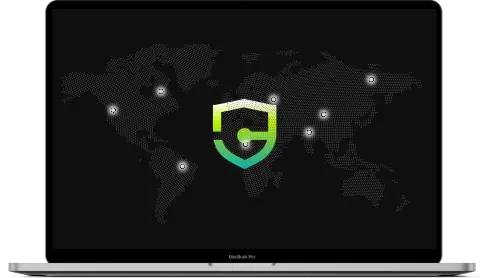
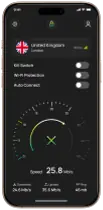

Protected
How to connect to Traverse VPN


Download the App
Install the app on your device, then log in with your Traverse VPN credentials.

Connect to a Server
Tap connect and the app picks the fastest available server for your location. Or choose manually by country or load.
Download Traverse VPN for your device
Pick your platform, install the app, and sign in. The same account works across all your devices, and switching between platforms takes no extra setup.

Download the Windows App
↓
Download the Windows App
↓Solid day-to-day performance on Windows 10 and 11. The app reconnects automatically if the VPN drops, so you don't have to manually connect again after a brief interruption. DNS leak protection runs in the background to make sure your queries don't leak outside the encrypted tunnel, even during network switches

Download the iOS App
↓
Download the iOS App
↓Clean, native feel on macOS. The app auto-protects your connection when you join a new WiFi network, which is useful if you move between home, office, and public spaces regularly. Split tunneling lets you keep certain apps on your regular connection while routing everything else through the VPN.

Download the Linux App
↓
Download the Linux App
↓Both CLI and GUI are available depending on what you prefer. Works on Ubuntu, Debian, Fedora, and most major distributions. Configuration is straightforward and doesn't require manually editing config files or dealing with dependencies.

Download the Mac App
↓
Download the Mac App
↓Both CLI and GUI are available depending on what you prefer. Works on Ubuntu, Debian, Fedora, and most major distributions. Configuration is straightforward and doesn't require manually editing config files or dealing with dependencies.

Download the Android App
↓
Download the Android App
↓Holds up well on patchy mobile connections, which matters if you're frequently switching between WiFi and mobile data. Per-app routing lets you decide which apps use the VPN and which don't. Handy when you need your banking app and VPN running at the same time without one interfering with the other.

A VPN app that puts your privacy first
All Traverse VPN, apps are built to keep your internet connection private and secure. As a community-supported service, we listen to users to develop features that solve real problems, not just ones that look good in a feature list. This includes the ability to watch popular streaming services, access restricted content, and stay private on public networks.
Secure VPN
Traverse VPN reduces tracking from networks, advertisers, and third parties by routing your traffic through an encrypted tunnel. It won't make you anonymous, but it adds a meaningful layer of privacy between you and anyone monitoring your connection.
Premium Features
Free Features
Access content anywhere
Our apps help you access the open web more reliably, wherever you are. This isn't about bypassing every restriction on the planet, it's about having a connection that works consistently across different networks and regions.
Premium Features
Simple, fast, and reliable
Premium Features
Free Features
Built on open standards
Traverse VPN uses WireGuard and OpenVPN to secure your connection. Both are open-source protocols with a long track record and active security research behind them. WireGuard is newer and faster for most use cases. OpenVPN is battle-tested and widely supported.
We maintain a strict no-logs policy and do not sell or share user data with third parties. Our infrastructure is built around privacy as a default — not something you have to opt into or pay extra for on top of a basic subscription.
What You Get
No-logs policy
WireGuard and OpenVPN protocols
Up to 10 devices on one account
30-day money-back guarantee
DNS leak protection
Kill switch
WebRTC leak prevention
Speeds up to 1Gbps
No-logs policy
WireGuard and OpenVPN protocols
Up to 10 devices on one account
30-day money-back guarantee
DNS leak protection
Kill switch
WebRTC leak prevention
Speeds up to 1Gbps
Data Collection Risk
High
Low
Speed and Bandwidth
Restricted
Unlimited
Ads and Trackers
Common
Blocked
Server Locations
Few
Thousands
Encryption Quality
Unreliable
Strong
Data Collection Risk
High: Often track your mobile activity and share data with third-party advertisers.
Low: Strictly enforced no-logs policy. We never track, store, or sell your data.
Speed and Bandwidth
Restricted: Severe speed throttling and daily data caps are extremely common.
Unlimited: No bandwidth caps, no speed limits. Stream and download freely.
Ads and Trackers
Common: Free tools inject their own ads and allow third-party tracking.
Blocked: Built-in ad and tracker blocking for a clean browsing experience.
Server Locations
Few: Overloaded, slow servers that cause constant video buffering.
Thousands: Connect to high-speed, premium servers in over 50+ countries.
Encryption Quality
Unreliable: Often use outdated or weak encryption standards.
Strong: Military-grade AES-256 encryption for absolute mobile data protection.
Independently Verified Security
We don't just make promises; we back them up. The Traverse VPN infrastructure undergoes rigorous testing to ensure your data is truly safe from modern cyber threats. We use the industry's best protocols like WireGuard and IKEv2 to ensure our application can actively withstand real-world cyberattacks while maintaining lightning-fast speeds on your smartphone.
Get started today
Install Traverse VPN on your device and get more private browsing from day one. The setup takes a few minutes and the free plan requires no payment details.
No-logs policy • Up to 10 devices • WireGuard + OpenVPN • 30-day money-back guarantee