
Secure your digital life with the fastest and most reliable VPN for Windows. Traverse VPN is the ultimate cybersecurity tool designed to encrypt your internet traffic, hide your IP address, and protect your Windows PC or laptop from online threats.
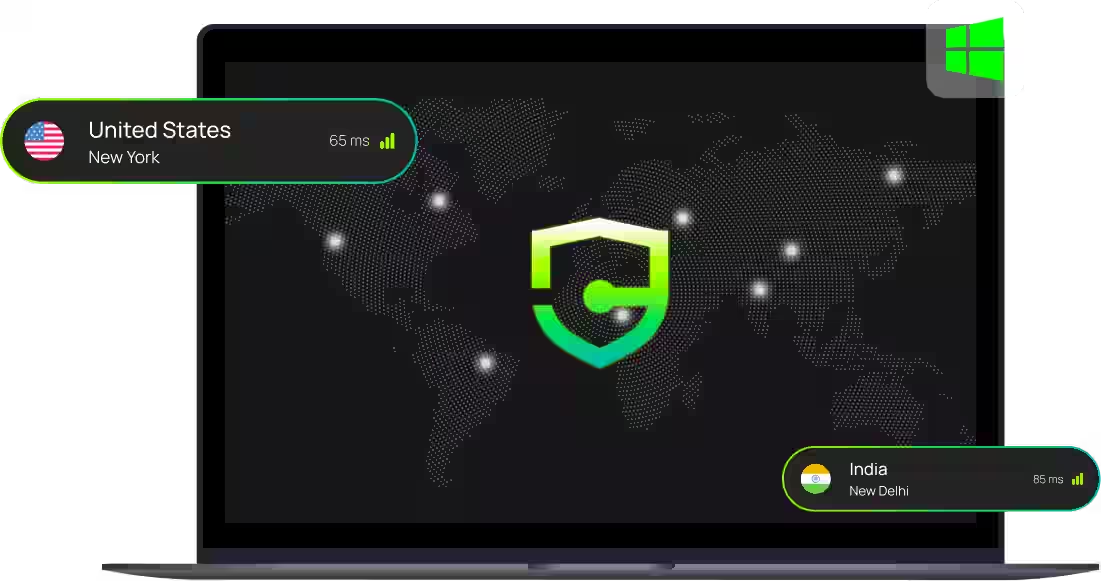
A VPN (Virtual Private Network) for Windows is an essential desktop application that secures your online traffic while you browse, stream, or work. When you connect to a Traverse VPN server, your internet connection is wrapped in a thick layer of military-grade encryption.
Simultaneously, your real IP address is hidden and replaced with the IP address of our secure server. This makes your online actions completely anonymous, preventing your Internet Service Provider (ISP), hackers, and third-party advertisers from tracking your private data. It is the easiest way to explore the internet with absolute privacy and unrestricted freedom.
Traverse VPN stands out from many other virtual private network providers because we offer native support for ARM-based devices. This includes seamless integration with modern hardware like the Microsoft Surface Pro, Samsung Galaxy Book, HP Elite Folio, and other Snapdragon-powered laptops.
Download our dedicated VPN for Windows ARM to enjoy a secure, flexible, and battery-efficient application that runs natively on your machine without any performance lag.
Getting complete desktop privacy is easier than you think. Download the best VPN for Windows in just three simple steps:

Select the subscription that works best for you and create your secure account.

Install the Traverse VPN app directly from the Google Play Store.

Open the app, select a server, and use the internet exactly the way you want.
Select the subscription that works best for you and create your secure account.
Install the Traverse VPN app directly from the Google Play Store.
Open the app, select a server, and use the internet exactly the way you want.
Once you have downloaded and installed Traverse VPN, using it is incredibly straightforward. Here is how you can manage your secure connection:
The Traverse VPN app features a large, intuitive connect button on the home screen. Just hit “Quick Connect” and our algorithm will instantly secure your traffic through the fastest available server. To stop the VPN, simply click “Disconnect.”
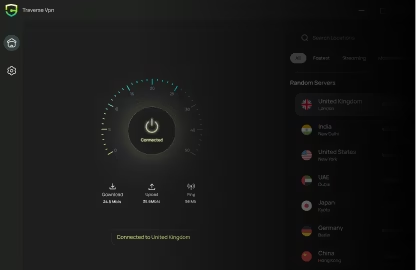
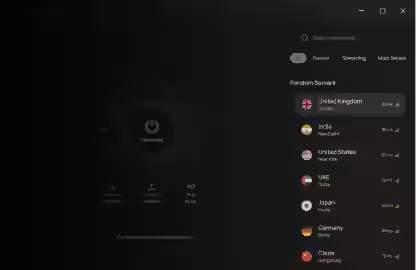
Want to access content from another country? Browse our global server list on the left side of the app, search for your desired country, and click on it to switch your virtual location in seconds.
Never forget to secure your PC again. Go into the app settings and enable “Auto-Connect on startup.” Traverse VPN will automatically launch and secure your internet the moment you turn on your Windows computer.
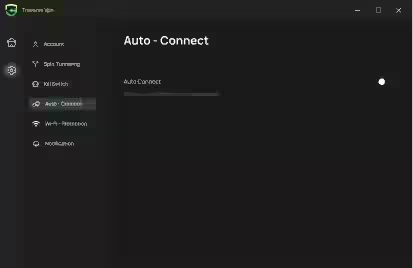
Our Windows application is packed with advanced security features that make it the top premium choice for internet users worldwide.
Get more with our premium VPN for Windows. Here is a quick technical overview of our PC client's capabilities:
"I have used several VPN services over the years, and Traverse VPN is simply the best for Windows. The application is incredibly lightweight, the UI is clean, and it doesn't slow down my PC at all. World-class performance."
@TechMaster_Rahul
"If you are in the market for a feature-rich premium VPN, this is it. I travel for work and use Traverse VPN on my laptop to access my home country's internet securely. The kill switch feature is a lifesaver on hotel Wi-Fi."
@DigitalNomad_Sarah
"Traverse VPN is a highly polished and powerful VPN that competes with the very best premium providers. It runs flawlessly on Windows 10 and 11, coming crammed with security features while offering some of the best download speeds we have tested."
PC Tech Radar
"I have used several VPN services over the years, and Traverse VPN is simply the best for Windows. The application is incredibly lightweight, the UI is clean, and it doesn't slow down my PC at all. World-class performance."
@TechMaster_Rahul
"If you are in the market for a feature-rich premium VPN, this is it. I travel for work and use Traverse VPN on my laptop to access my home country's internet securely. The kill switch feature is a lifesaver on hotel Wi-Fi."
@DigitalNomad_Sarah
"Traverse VPN is a highly polished and powerful VPN that competes with the very best premium providers. It runs flawlessly on Windows 10 and 11, coming crammed with security features while offering some of the best download speeds we have tested."
PC Tech Radar
"I have used several VPN services over the years, and Traverse VPN is simply the best for Windows. The application is incredibly lightweight, the UI is clean, and it doesn't slow down my PC at all. World-class performance."
@TechMaster_Rahul
"If you are in the market for a feature-rich premium VPN, this is it. I travel for work and use Traverse VPN on my laptop to access my home country's internet securely. The kill switch feature is a lifesaver on hotel Wi-Fi."
@DigitalNomad_Sarah
"Traverse VPN is a highly polished and powerful VPN that competes with the very best premium providers. It runs flawlessly on Windows 10 and 11, coming crammed with security features while offering some of the best download speeds we have tested."
PC Tech Radar

 Traverse VPN
Take control of your digital identity and enjoy the web the way it was meant to be.


